System Settings
Admin-only system-wide configuration. Access via Settings in the admin sidebar.
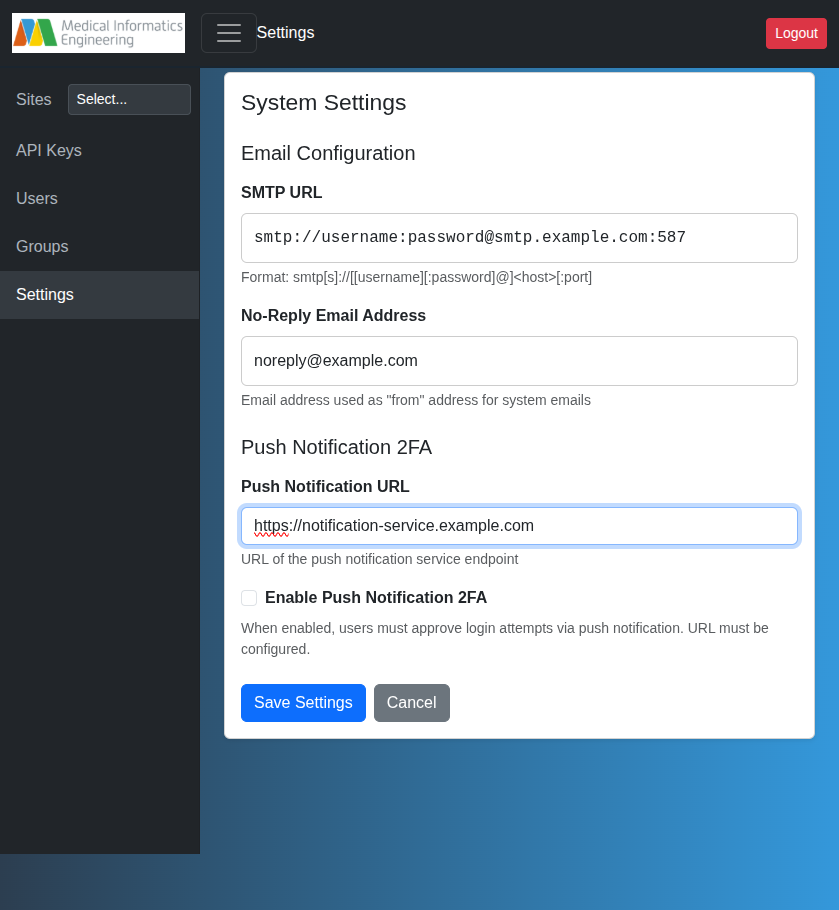
Email (SMTP)
Configure SMTP for password resets and system notifications.
- SMTP URL:
smtp[s]://[[user][:pass]@]<host>[:port] - No-Reply Email: "From" address for system emails (e.g.,
noreply@example.com)
When configured, users can reset passwords via "Forgot your password?" on the login page (reset link valid for 1 hour).
Warning
Without SMTP, password resets require manual admin intervention.
Announcement Banner
Display a one-line announcement to all users at the top of the app — useful for deployment-specific notices like linking to a companion app hosted in the same environment.
- Banner message: plain text, with optional links using
[text](url)syntax, e.g.Try [Ozwell Studio](https://ozwell-studio.example.org). - Stored per deployment in the database; no redeploy or restart needed.
- Leave empty to hide the banner.
Authentication
The Manager authenticates users with internal username/password by default. To delegate authentication (and MFA) to an external identity provider, configure single sign-on — see OIDC Single Sign-On. When OIDC is enabled, internal password login and self-registration are disabled.
Push Notification 2FA removed
Earlier releases offered push-notification two-factor authentication via the MieWeb Auth App. That feature has been removed in favor of delegating MFA to an OIDC identity provider.
Access Control
Requires membership in a group with admin privileges (typically sysadmins). See Users & Groups.