API Keys
API keys authenticate API requests without using your password.
Managing API Keys
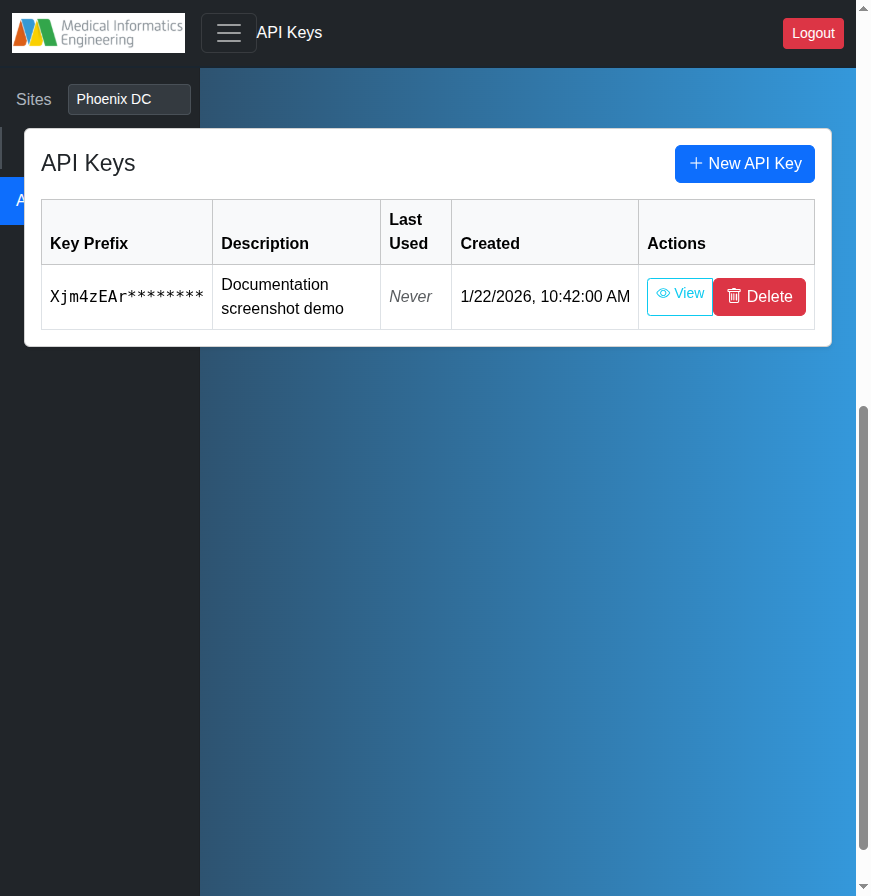
Navigate to API Keys from the main navigation.
Creating a Key
- Click "+ New API Key"
- (Optional) Enter a description (e.g., "CI/CD pipeline")
- Click "Generate API Key"
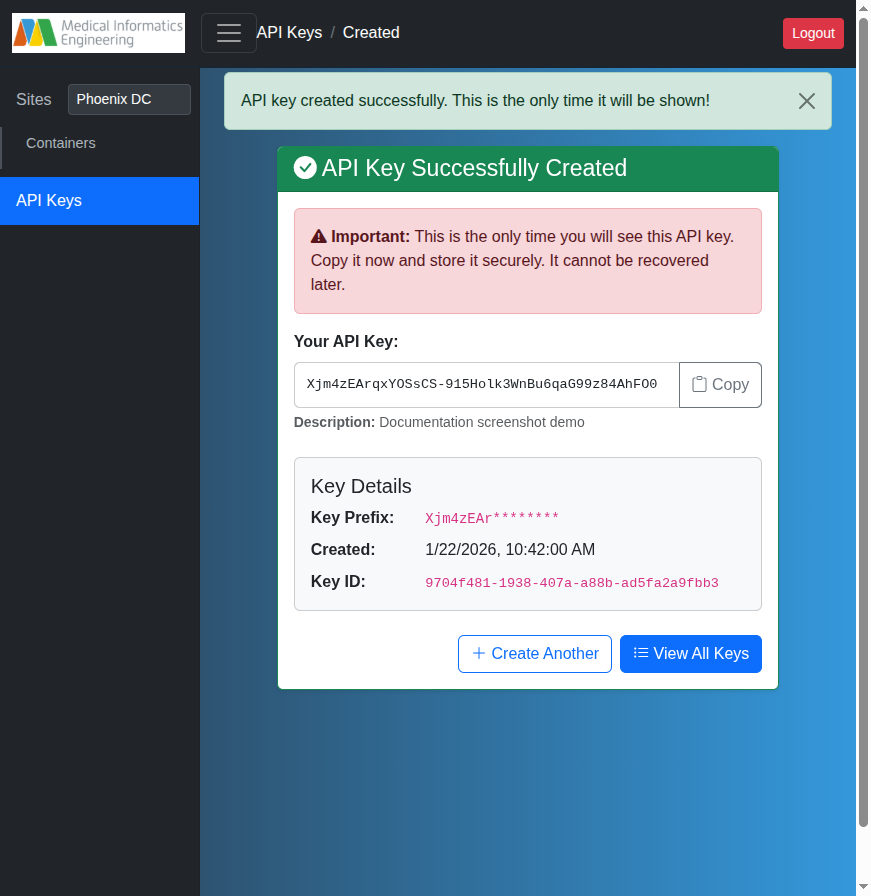
Critical
The full key is shown only once. Copy it immediately. The server stores only a hash — lost keys cannot be recovered.
Viewing Key Details
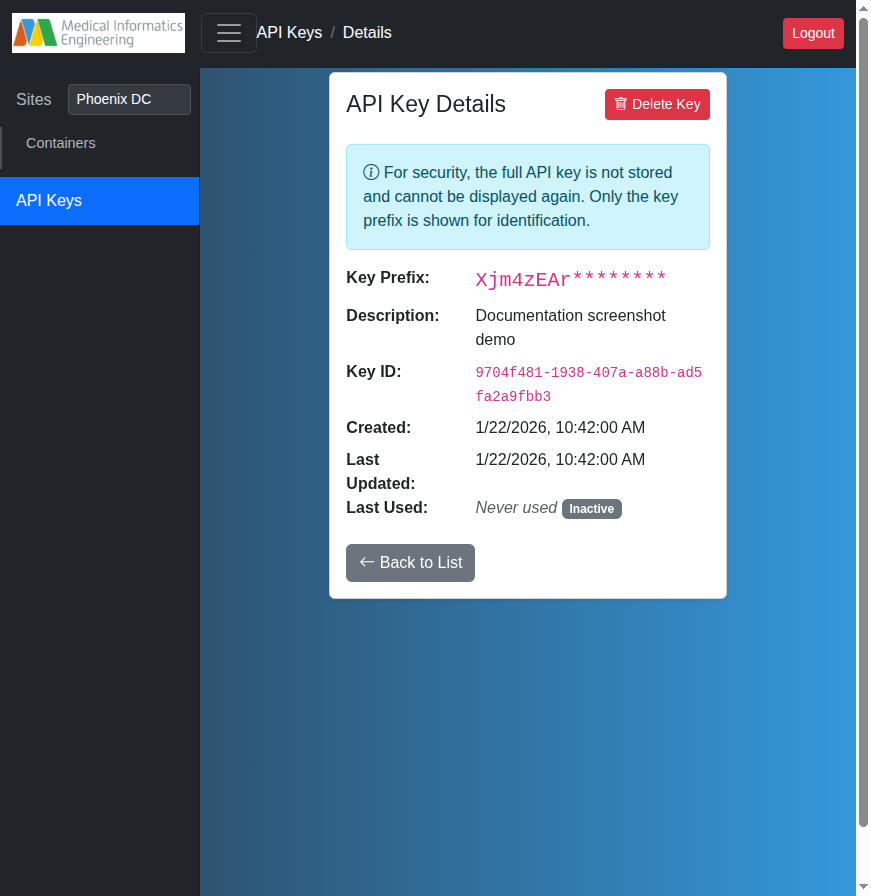
Click View on any key to see its prefix, description, creation date, and last-used timestamp.
Deleting a Key
Click Delete from the list or details page. Other keys and your password are unaffected.
Using Your API Key
Pass the key as a Bearer token and request JSON responses:
curl -H "Authorization: Bearer YOUR_API_KEY" \
     -H "Accept: application/json" \
     https://your-server/apikeys
For the full list of available endpoints, request and response schemas, and a "Try it out" console, visit the interactive API documentation at /api on your server.